

The right information.
To the right people.
Collect. Route. Keep work moving.
Create surveys, polls, order forms, and more. See how each response came in and notify the people who need to follow up.
Request a demo Explore use casesTry a sample
Responses are saved. Please use test data.
REVS.Center is more than just a survey tool, polling app, ordering form, or process management solution.
Use one platform for customer feedback, research, order requests, and everyday operations instead of setting up a separate tool for each.
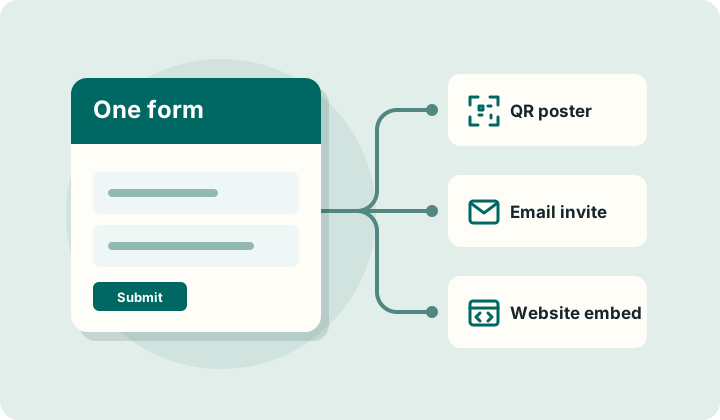
Collect once. Route every response to the people who need it.
- Build forms with a drag-and-drop editor and reuse saved question templates.
- Customize questions and QR-code details for individual sharing links.
- Revise a form without replacing its links and review previous changes in the form history.
Build for the work
Share with the right audience
Route and use responses
Designed for real team workflows, not just questionnaires.
Choose who can fill out a form separately from who can review responses or get notified.
- Keep an inspection form within a team.
- Invite a known group to a study.
- Let guests answer through a public QR code.
Choose from six individually tracked sharing paths: Users, Roles, Mailing Lists, QR Codes, Link Shares, and Embeddings.
Staff can subscribe to a survey so new responses reach the people responsible.
Set who can access surveys and who in your organization can review responses.
Manage contacts and send mailing-list invitations through your organization's mail server.
Export response data for Power BI, R, Python, or your preferred visualization tools. REVS.Center focuses on collection and routing, not result analysis.
Enable optional public-key encryption for selected surveys; only someone with the matching private key can decrypt a response.
Built for teams that need reliable information flow.
Retail and e-commerce — Collect product feedback, take order requests, or ask customers about a recent purchase.
Hospitality — Put QR codes in guest areas to collect feedback or flag a service issue.
Marketing and research — Test campaign ideas, run audience polls, or invite participants to a study.
Education — Ask students about courses, campus services, or facilities.
People teams — Gather onboarding feedback and check in with employees.
Operations and facilities — Collect inspections, shift handovers, and maintenance requests.
Distributed teams - Share forms by QR code, link, email, or embed wherever the work happens.
Built to keep information moving
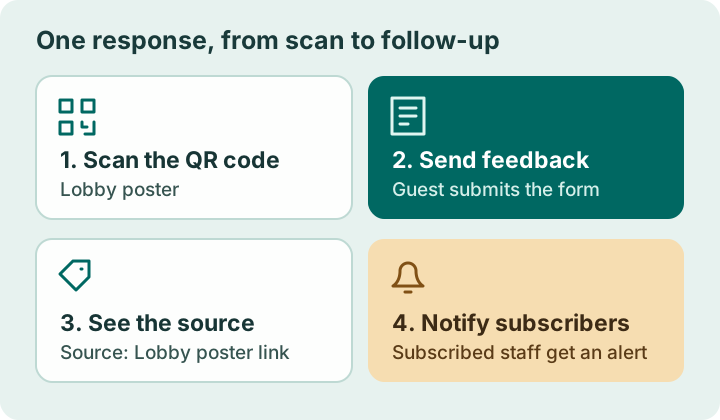
A guest scans a lobby poster and leaves feedback. REVS.Center shows which poster link brought in the response, and staff who subscribed to the form get notified.
Six ways to share
How will you reach your audience?
Find the sharing option that fits the people you want to hear from and where they’ll find your form.
Users
Collect shift handovers or follow-ups from specific people.
Example: Ask named warehouse staff to record what the next shift needs to check.
Roles
Send recurring checks to the people responsible for a job.
Example: Share one inspection form with site managers across multiple locations.
Mailing lists
Invite a known group by email and see who has responded.
Example: Email a post-training survey and follow up with people who haven't replied.
QR codes
Collect maintenance reports and feedback at a physical location.
Example: Put up a maintenance poster in each building and see which poster a report came from.
Link shares
Give each project, partner, or chat channel its own link.
Example: Use one rollout survey with a different link for each team's chat channel.
Embeddings
Put a request or feedback form directly on a site or intranet.
Example: Let staff request supplies without leaving the intranet page they already use.